
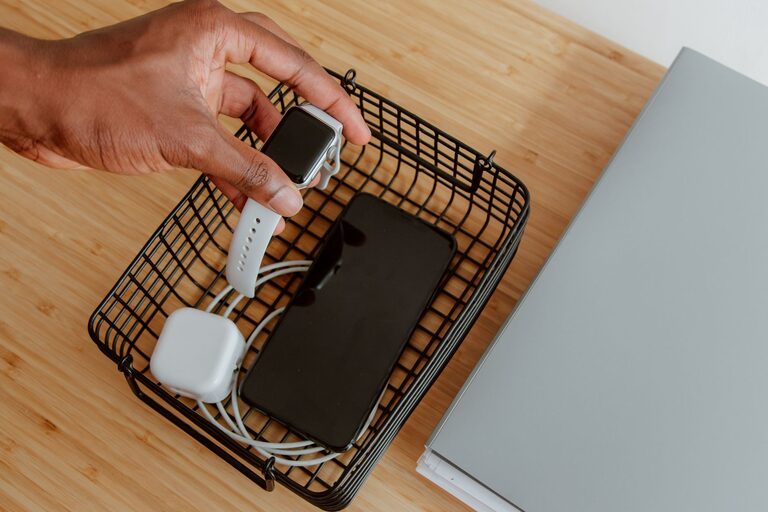
Setting up a dedicated charging station for your devices is a simple way to streamline your daily routine, reduce clutter, and ensure all your gadgets are powered when you need them. Whether you have smartphones, tablets, smartwatches, or other rechargeable devices, a well-organized charging station can save time and headaches.
In this guide, we’ll walk you through the process of setting up a charging station that fits your space, needs, and style.
Why Create a Charging Station?
As our reliance on technology grows, so do the number of devices we need to keep charged. Scattered cables and chargers can create messy spaces and make it hard to find what you need. A charging station:
– Centralizes power sources for multiple devices
– Keeps cables organized and untangled
– Saves space by reducing clutter
– Makes it easier to remember where to charge devices
Step 1: Choose the Right Location
Select a spot in your home where you frequently use or store your devices. Popular locations include:
– Living room side table
– Home office desk
– Kitchen counter
– Bedroom nightstand
Make sure the area has easy access to electrical outlets or power strips. Also, consider if you want the station to be visible or discreet.
Step 2: Assess Your Devices and Charging Needs
Make a list of all the devices you want to charge at this station. Take note of:
– Number of devices
– Types of charging ports (USB-C, Lightning, Micro USB)
– Power requirements (standard or fast charging)
– Charging cable lengths
This information will help you choose the right charger and accessories.
Step 3: Select a Charging Hub or Dock
There are several options for charging multiple devices simultaneously:
Multi-Port USB Chargers
These plugs can charge several devices at once with multiple USB ports. Look for one with:
– Sufficient ports for your devices
– Smart charging technology to protect batteries
– Safety certifications
Wireless Charging Pads
If your devices support wireless charging, pads allow for cable-free charging. Some pads can charge multiple devices simultaneously, ideal for phones and earbuds.
Charging Stations with Built-In Organizers
These units combine charging with compartments or stands to keep devices upright and cables managed neatly.
Step 4: Organize Cables and Accessories
Cable management is key to a tidy charging station. Consider these tips:
– Use cable clips or holders to keep cords in place
– Employ cable sleeves or ties to bundle excess length
– Label cables if you have many similar ones
– Store rarely used accessories (like adapters) in small containers nearby
Step 5: Set Up Power Sources Safely
If you need to add power strips or extension cords, choose ones with surge protection to guard your devices. Avoid overloading outlets and keep cords away from walkways to prevent tripping.
Step 6: Arrange Your Devices
Place your devices on the charging station so they are easy to access and see. Use stands or holders to prevent them from sliding. For wireless chargers, place the devices exactly as recommended by the manufacturer.
Step 7: Maintain Your Charging Station
To keep your setup operating smoothly:
– Periodically dust and clean the station and devices
– Check cables for wear and replace if necessary
– Reorganize if your device collection changes
– Ensure the power source remains safe and functional
Additional Tips for a Successful Charging Station
– Label your chargers and cables to avoid confusion, especially in shared spaces.
– Consider portable options if you want a station that can easily move between rooms.
– Personalize your station with decorative boxes, mats, or colors that match your décor.
– Use energy-efficient chargers to save power and reduce heat generation.
– Keep a dedicated storage spot for charged devices ready to be used.
—
Creating a charging station doesn’t have to be complicated or expensive. With a little planning and organization, you can keep all your devices powered up and your space neat. Try these steps to make your daily device charging more convenient and efficient!